> For the complete documentation index, see [llms.txt](https://help.trackstack.app/llms.txt). Markdown versions of documentation pages are available by appending `.md` to page URLs; this page is available as [Markdown](https://help.trackstack.app/inbox/preferences-and-visibility.md).
# Preferences & Visibility
Setting up your Inbox preferences helps you stay in control and on top of your incoming music. It signals to others users what you are looking for and when you are open for tracks.
Your Preferences & Visibility settings allow you to control what kind of music you receive, who can access your inbox, when submissions are accepted, and how artists interact with you. These settings help you create a more intentional, manageable, and high-quality submission experience.
***
### **Accepted Content**
#### **Genres**
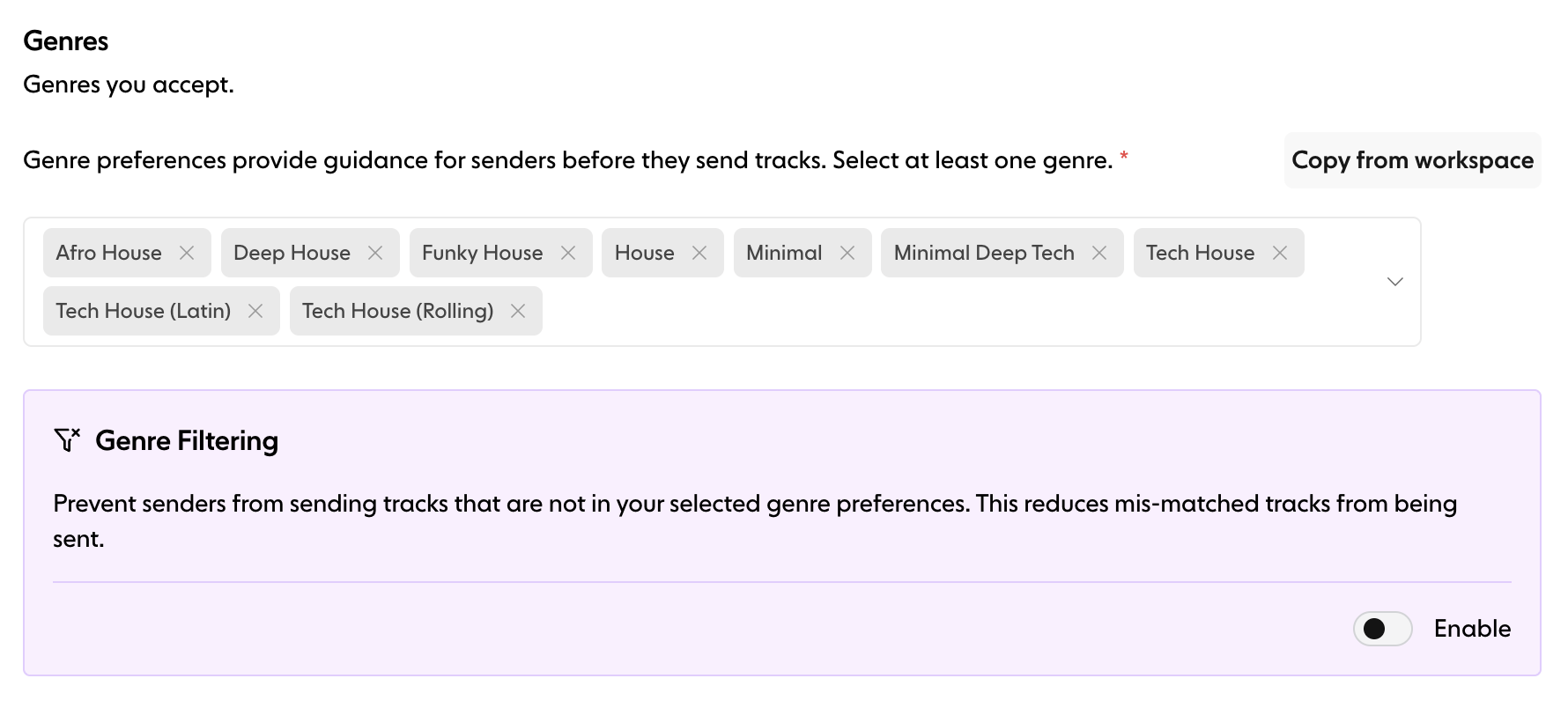
Choose which genres you want to receive. This helps guide artists before they submit and ensures you receive music that aligns with your preferences. You must select at least one genre.
#### **Genre Filtering**
Enable this option to **block submissions that don’t match your selected genres**. When turned on, senders will only be able to submit tracks within the genres you’ve chosen — reducing mismatched submissions and increasing relevance.
***
### **Access & Visibility**
#### **Password-Protected Inbox**
You can restrict access to your inbox by setting a password. When enabled, only users with the password can submit tracks.
Use this when you want to:
* Run private submission periods
* Limit access to specific artists
* Control who can reach your inbox
* Create a VIP inbox for close friends and contacts
#### **Visibility Options**
Control how artists can find your inbox.
* **Private** — Only accessible via your direct link. Your inbox is hidden from search and directory.
* **Public** — Discoverable in Trackstack search and directory. Recommended for DJs and labels wanting broader visibility.
#### **Pause Inbox**
Temporarily stop new submissions from being received. When paused:
* Artists can’t send new tracks
* Your inbox is hidden from discovery
* A custom “Pause Message” is displayed on your public page
Useful when you're:
* Reviewing a backlog
* Closing A\&R windows
* Taking time off
* Preparing for a specific campaign or release
***
### **Availability**
#### **Opening Times**
Opening Times allow you to choose when your inbox accepts new submissions — turning it from a 24/7 fire hose into a **controlled, strategic tool**.
You can:
* Enable or disable Opening Times
* Choose specific days (e.g., Mon/Wed/Fri)
* Set start/end times
* Configure your timezone
* Set recurrence (e.g., weekly)
This feature is perfect for:
* Labels running “demo drop days”
* DJs opening submissions before weekend gigs
* Anyone wanting predictable submission windows
**If disabled:** your inbox is always open.
***
### **Requirements & Limits**
#### **Required Fields**
Specify which information senders must provide before submitting.\
This ensures you receive the details you need, such as:
* Artist name
* Social links
* Email
Mandatory fields help reduce incomplete submissions.
#### **Monthly Submission Limit**
Limit how many submissions one sender can send per month. Each submission can contain **up to 5 tracks**.
For example, if you set a limit of **4 submissions per month**, a sender can submit **20 tracks** (4 × 5).
This helps manage volume and prevents spam while keeping your inbox focused.
***
### **Summary**
Preferences & Visibility give you total control over:
* What content you receive
* Who can access your inbox
* When your inbox is open
* How much artists can submit
* What information you collect from senders
These tools help you create a submission environment that fits your workflow, improves submission quality, and supports better professional relationships.